

Prospecting
Fill your team's pipeline and make the most of every salesperson's time in the field
With one search, you can find companies in the area and distribute accounts based on your team's territory.






The end of "I didn't have time to prospect"
Finding new clients takes time, whether you're knocking on doors or searching on Google. With a list in hand from the start of the day, prospecting fits right into your visit routine.
You decide who the team prospects
You choose which businesses enter the database and which sales rep gets each one. The entire team prospects using the same criteria, starting with the accounts you have prioritized.
Your entire channel journey, all in one place
Provide a ready-made portfolio to new hires, starting from their very first day in the field.
Structure your prospecting and onboarding of new locations, from lead to activation, using the funnel stages specific to your operation and evidence for each step.
Standardize field tasks and data collection requirements, including mandatory photo capture, geolocation, and digital signatures — providing definitive proof of site visits and work performed.
More than just a list. Prospecting that is integrated directly into your operations.
Every imported business follows the same workflow as any other client in Checkmob.
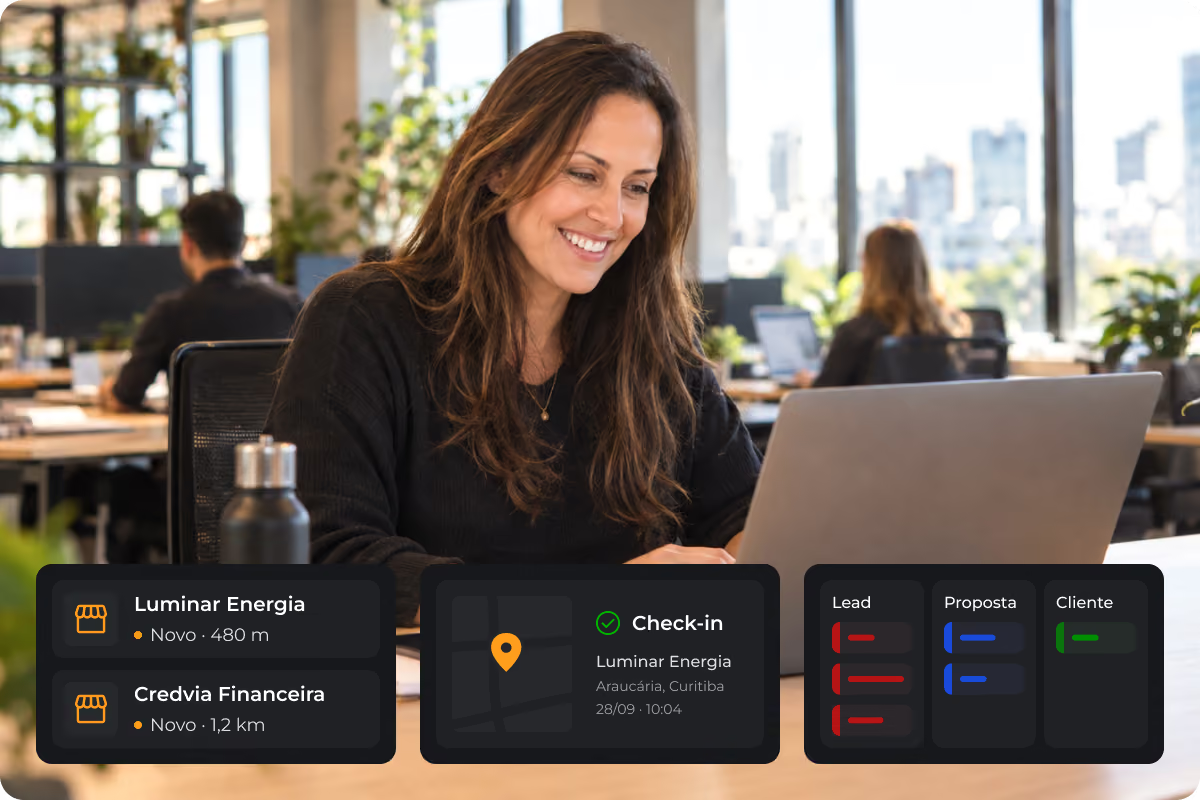
In the sales rep app: new businesses are added to the assigned portfolio and are ready to be routed.
During the visit: verifiable check-in and a record of findings, just like any other visit.
In the funnel: you track each one as they advance, from cold lead to customer.
From the map to the salesperson's portfolio in three steps
Tell us where and who
City, neighborhood, or address, and the type of business you're looking for: veterinary clinics, workshops, credit agents. If you want, filter only those with a phone number or website.
See everything on the map
Companies appear in a list and on the map, within a radius of 5 to 50 km. Select all, choose individually, or draw the area you're interested in.
Import already organized
Portfolio, segment, category, funnel stage, and temperature are defined during import. No one needs to register them one by one later.
Take your field operations beyond the CRM
Tell us your city and your target customer profile. During the demo, we’ll run a search in your area and show you exactly how these companies appear in each salesperson's app.
Frequently Asked Questions
Searching and importing are handled by the manager in the web dashboard. The salesperson receives the companies assigned to them in the app.
From Google Maps. You review the results and import only those that make sense for your operation.
You select the ones with the right profile before importing. From there, the visit itself does the qualifying.
No. It shows the companies that exist in the region, with their locations on a map, for your team to visit. The focus is on in-person prospecting.
Included in all plans. Each search consumes credits, and you can purchase more whenever you need them.

Schedule a demo
With our software, you gain total control over your field team's visits, activities, and territories.