

How it works
How does Checkmob work?
Checkmob was designed to be flexible and user-friendly, streamlining the process and reducing the time required for implementation and training.
With an intuitive web platform and a customizable app for your team, the software allows managers to organize operations, delegate tasks, monitor work, and measure the results achieved by field teams.
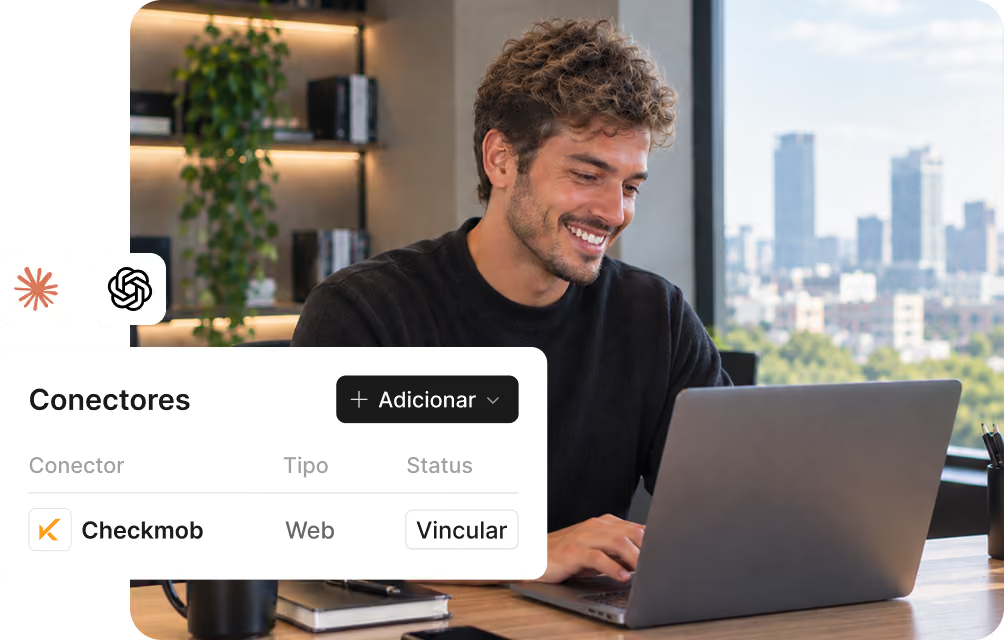
Conecte o Checkmob ao Claude e ao ChatGPT
Coloque a IA para trabalhar na gestão da sua equipe externa. Pergunte sobre seus dados, agende visitas, cadastre clientes e gere relatórios, tudo integrado às outras ferramentas e documentos que sua empresa já usa.
Visually organize your customer portfolio
Create customer portfolios, territories, teams, and checklist templates to be filled out during each visit. Properly schedule and distribute planned activities according to your strategy.
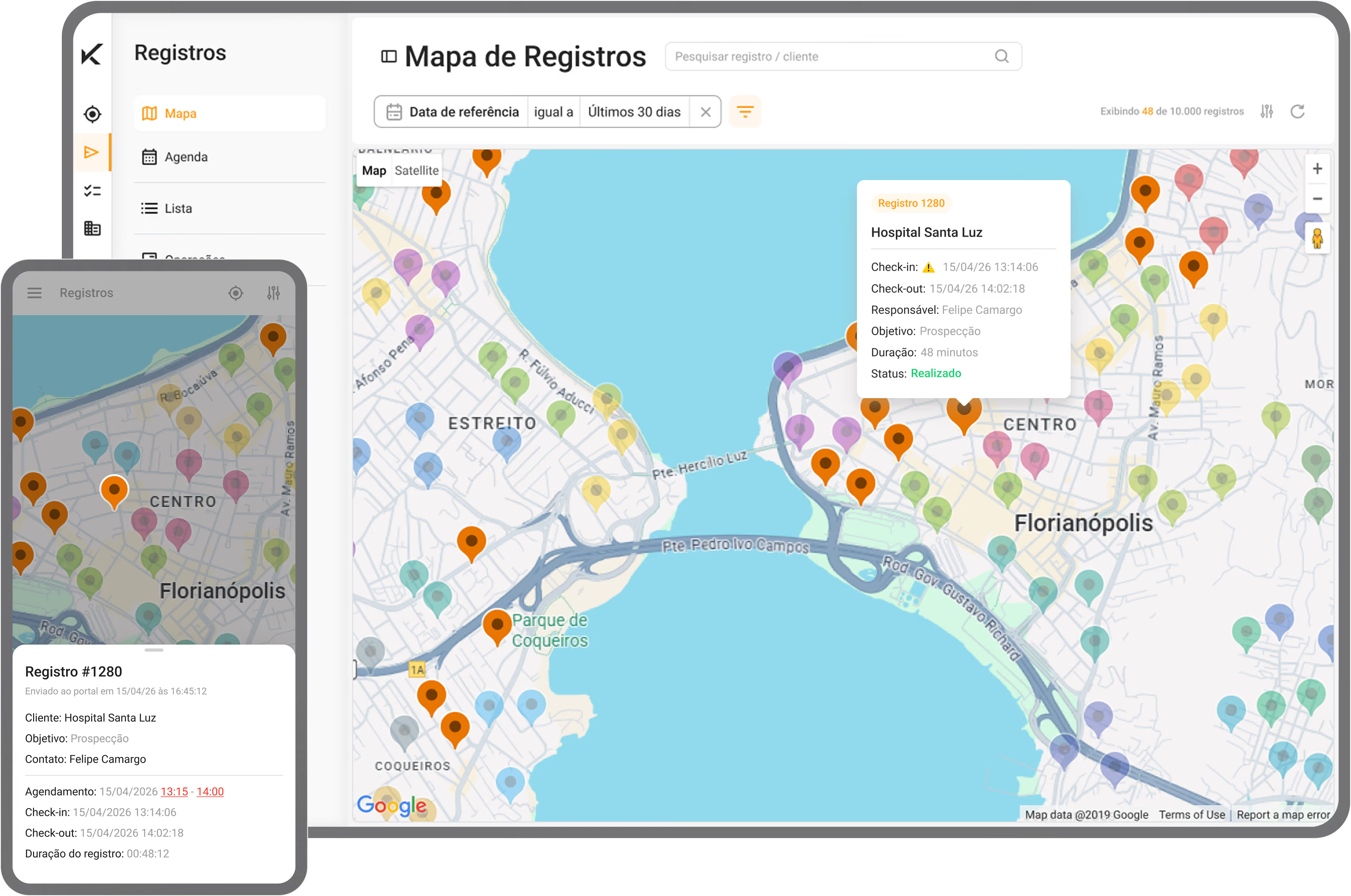
Geolocated customer map
With the geographic view of customers, you can identify gaps in portfolio coverage and customer conversion by the field team, in addition to facilitating the planning of company operations according to the target region.
Customer portfolio and segmentation
Customer portfolio by team
Create customer groups for each team or individual, granting access only to the necessary information.
Custom segmentation
Categorize your customers in a personalized way, creating strategies segmented by customer profile.
Registration change control
Keep your customer base up to date and secure, maintaining individualized logs for every update.
You decide who the team will prospect
Create teams by activity type, geographic region, customer type, or client portfolio. Organize schedules and keep your information secure by granting access only to what each person needs.
Plan the activities to be carried out
Scheduled activities (Work Orders)
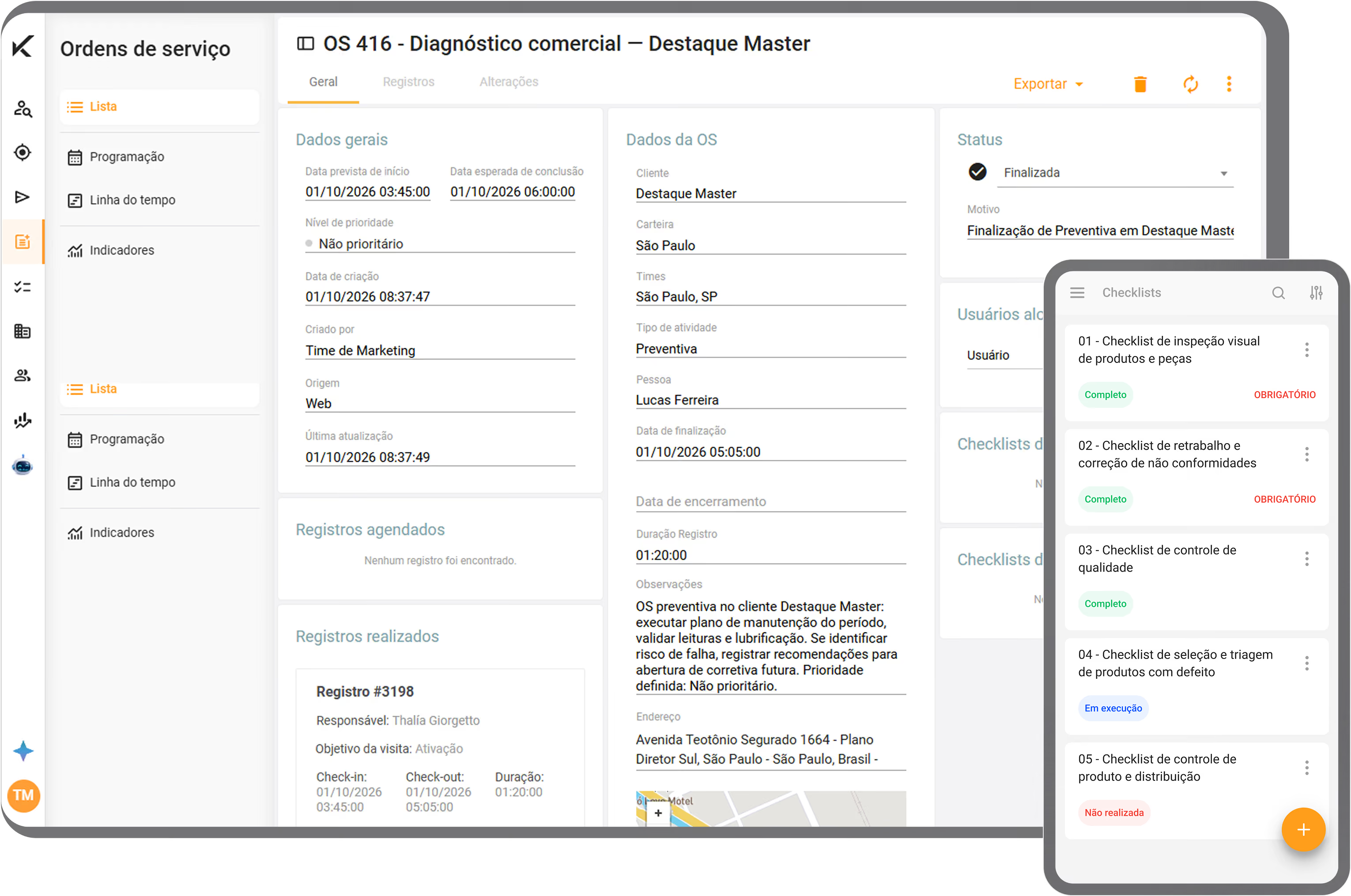
Create and send activities to be carried out at your clients' locations, including all the details needed for successful execution. Work via pre-scheduling or on-demand "just-in-time," depending on your needs.
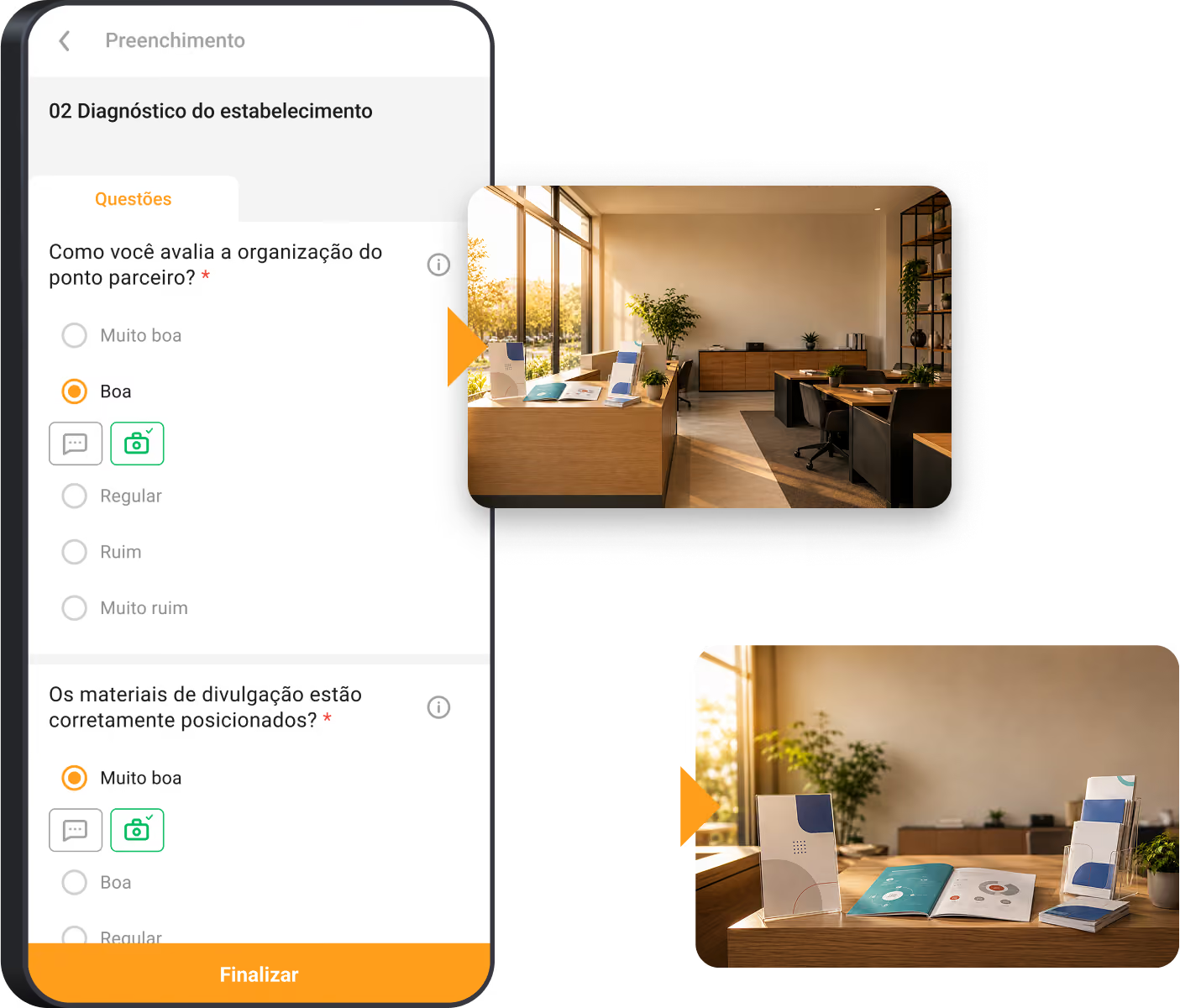
Customized checklists
Create specific and comprehensive forms for every type of activity, such as: visit reports, task checklists, quality inspections, service evaluations, and more.
Key features

Monitor and manage field execution
With secure check-in and check-out, you can monitor your entire operation remotely. New activities can be created on the fly, with managers receiving updates as the work is performed.
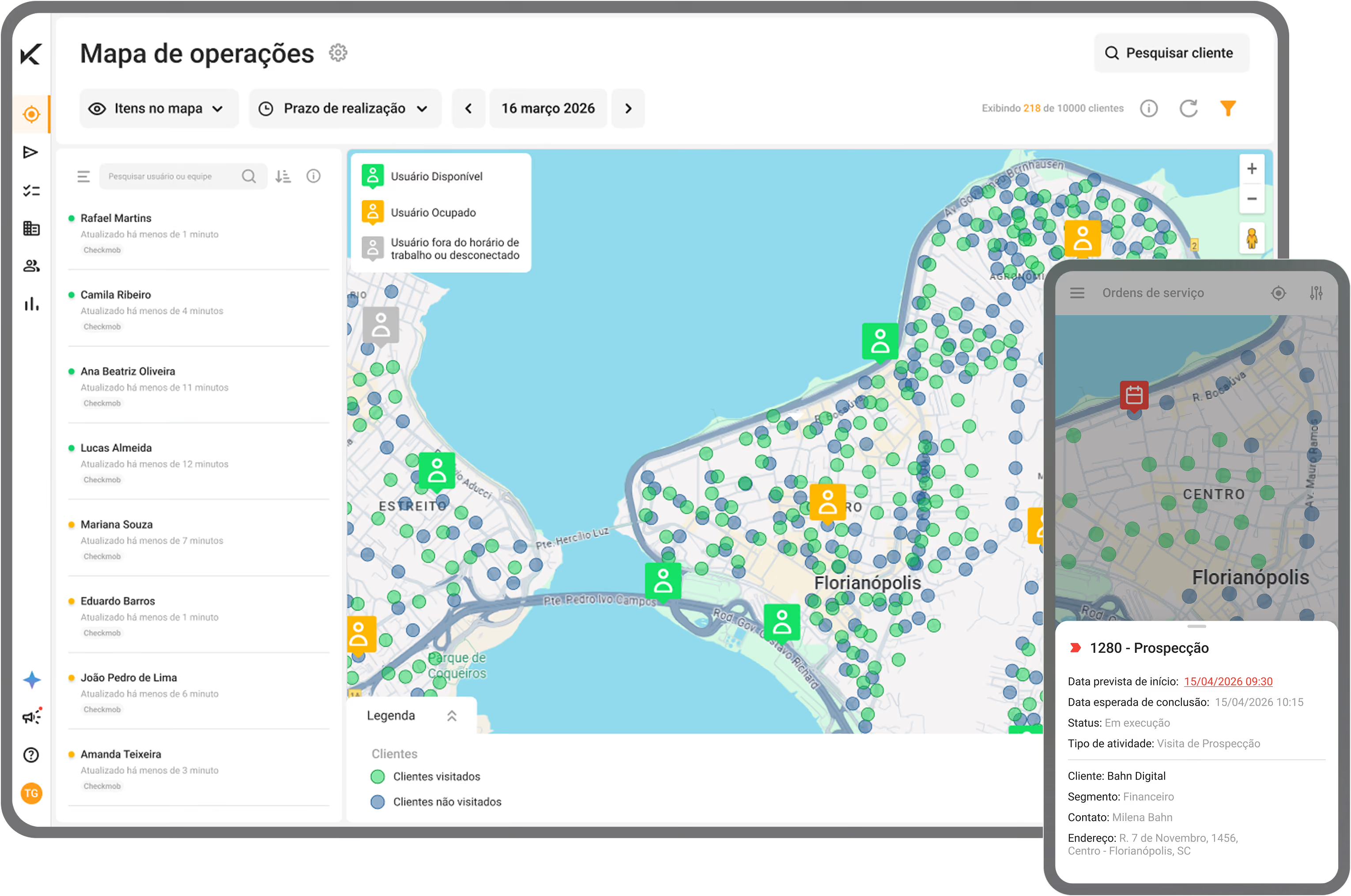
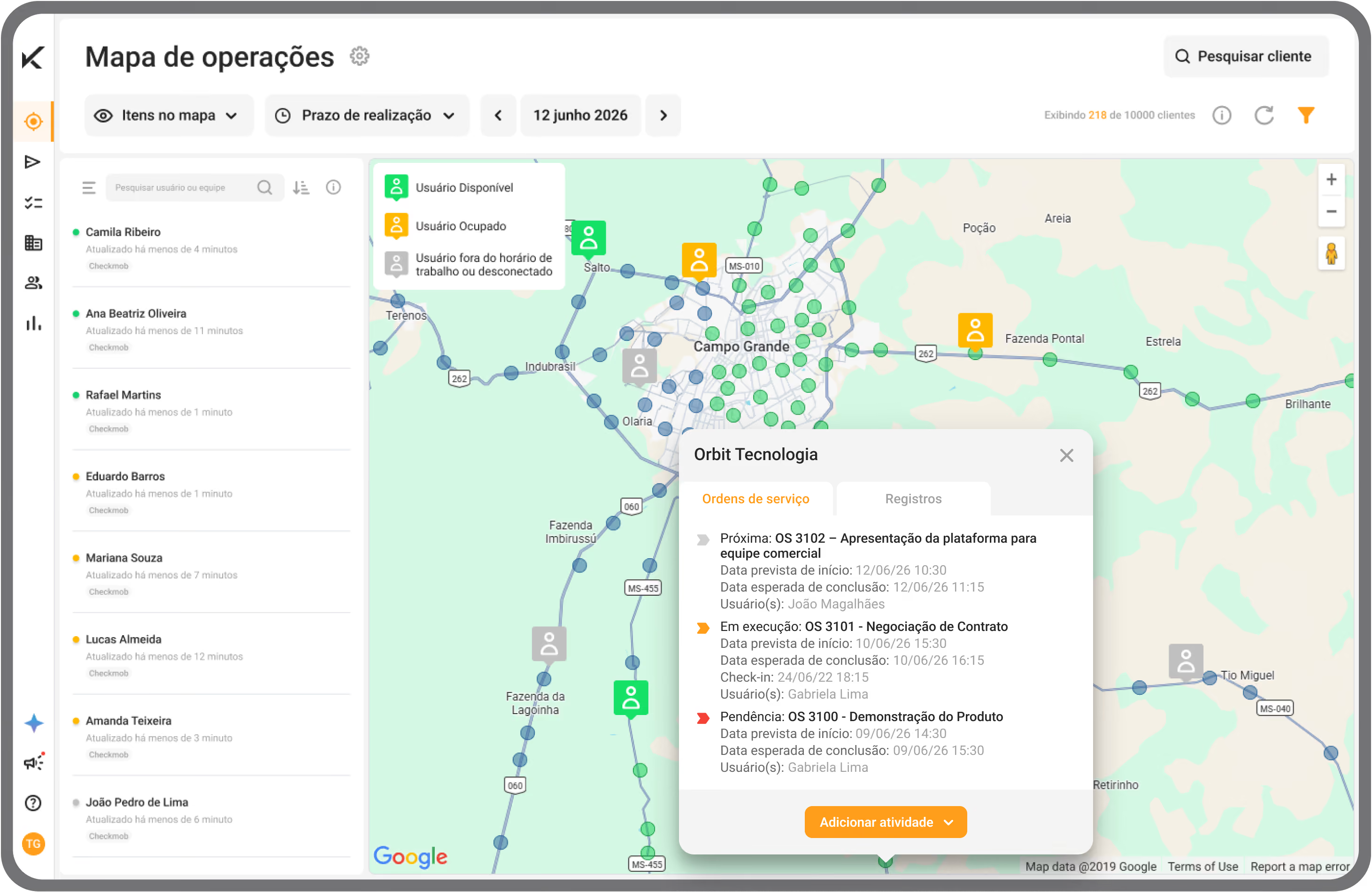
Operations map
Monitor the status of your team, your clients, and the day's planned activities on a single screen, allowing for quick course corrections when needed.
Project the map onto a TV and let your entire team follow the operation.
Client database and segmentation
Stay informed about what is happening in the field with confidence. With features like geolocated check-in and check-out with photos, on-screen signatures, visit maps, and more, you will be in control of your operation.
Customer portfolio by team
Create customer groups for each team or individual, granting access only to the necessary information.
Custom segmentation
Categorize your customers in a personalized way, creating strategies segmented by customer profile.
Registration change control
Keep your customer database up to date and secure, with individual logs for every update.
Evaluate the results of the work performed
Track everything from the details of a visit to a key client to the most strategic indicators of your operation. Get the information you need, exactly when you need it.
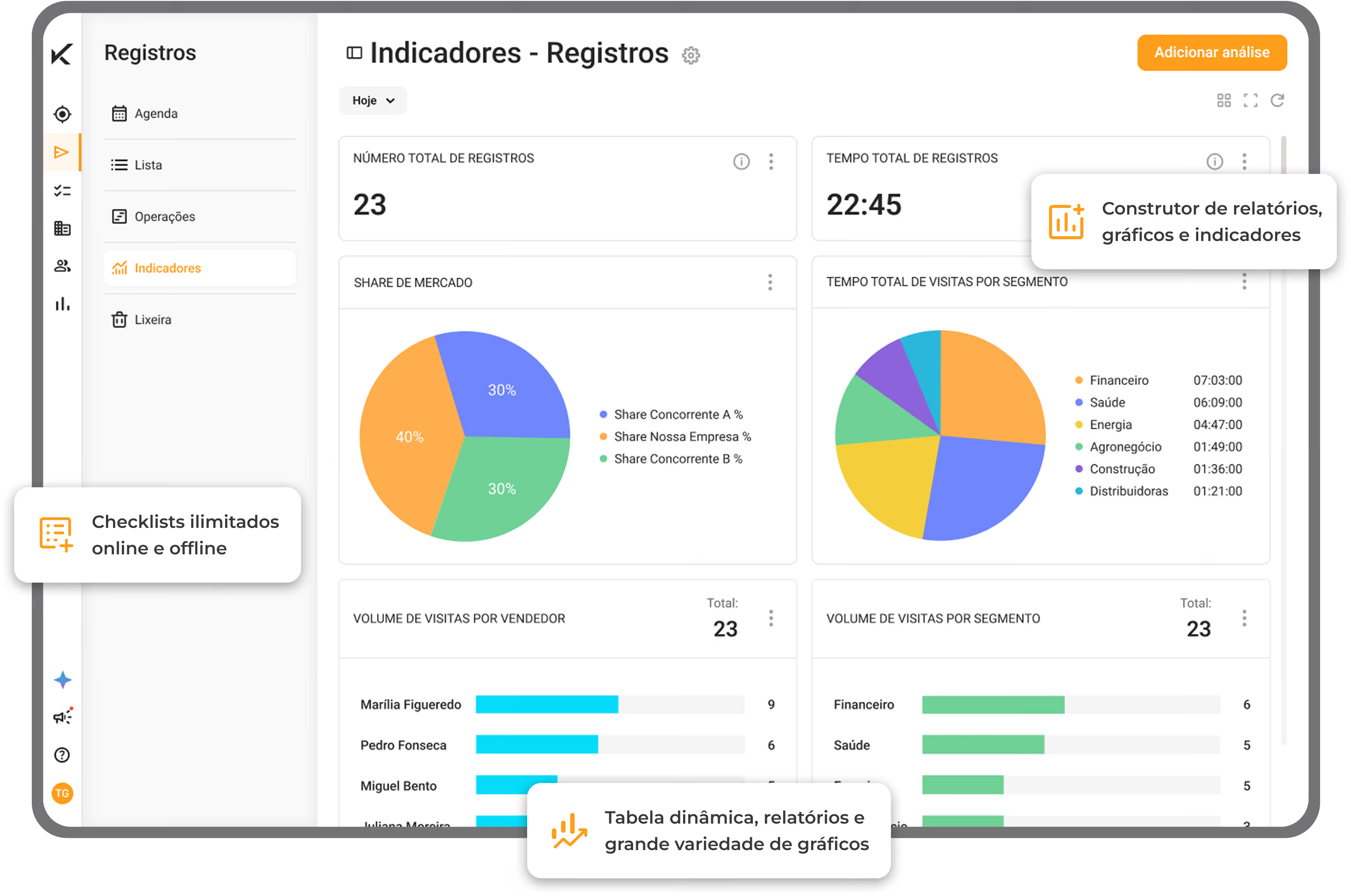
Turn your operational data into business KPIs
Report, chart, and KPI builder
Create multiple KPIs and reports from your operation's database and gain powerful insights for decision-making.
Custom dashboards
Gather your KPIs into custom dashboards to view your information in a unified way and share it with your team.
Export reports to Excel
If you can't live without a good pivot table, no problem—simply export your data to Excel and use it in your preferred tool.
Coverage map
View all your clients on a map, color-coded by visited/converted and not visited/converted, with the ability to apply multiple filters by client type, portfolio, location, and more.

Ask and Checkmate answers instantly
Just like you already talk to an AI, but about your operations: ask about field sales and get answers instantly, right in the chat.
Get the security that brings peace of mind
With anti-fraud solutions, managers can trust the information they receive, fostering a more reliable relationship between management and the team. These solutions include:
Block the use of "fake GPS" apps, with the option to require a photo for every check-in and set a permitted check-in radius, customized per client.
Create and assign permissions and access levels to each employee so that everyone has access only to what the company defines.
By blocking the use of the image gallery, we ensure that photos required for checklists and other features are actually taken at the time of the response, preventing the use of photos from "last week."
Block manual date and time settings and assign a standard time zone for each user based on their location.
Prevent employees from sharing their access with third parties, which causes a loss of traceability regarding who actually performed a specific task.
Frequently asked questions
Yes. Checkmob has a single app available for both Android and iOS, allowing your team to perform field activities, record data, and track tasks directly from their smartphone or tablet. This ensures that all users, regardless of their operating system, have access to the same features, improvements, and updates simultaneously, maintaining a consistent experience for the entire field team.
Yes. Once the field user is logged into the app, they can view all information and input data while offline. This information will sync with the web and update as soon as a Wi-Fi or mobile data connection is restored. Additionally, managers can view the history to see the exact time activities were performed and when the data was submitted.
Implementation takes place within 15 days, and you will have our team's assistance throughout the entire process. After implementation, you will have access to our support whenever you need it.
Our support channels include phone, online chat, email, and WhatsApp. Support hours are from 9 AM to 6 PM, Monday through Friday.
Yes. There are hundreds of customizable parameters, and with the help of our experts, your account will be perfectly aligned with your company's needs.
Yes. Checkmob allows for integrations via open API, Webhooks, and Zapier, enabling connectivity with over 5,000 software applications.
The platform subscription can be paid monthly, semi-annually, or annually, depending on the agreement reached during negotiations. The minimum number of licenses is 5 users, and payments can be made via bank slip or credit card.
Start optimizing your field operations today
Schedule a demo and see how you can gain full control over your field team's visits, activities, and territories.