Field services

Software for field service management

Get professional management for your field services, with better planning and execution control. Monitor up-to-date metrics and benefit from personalized implementation and continuous support.


Lead a professional field service operation

Operations Map

With the Operations Map you'll know the exact status of field services, and you can geographically analyze the situation of your clients and field team.

Organize your team's work with clear operational visibility and greater confidence in decision-making.

Contact usBook a Demo
Software and app for managing field teams

Anti-fraud system

With our geolocated Check-in and Check-out you'll be sure that your field services are happening as planned.

Maintain control over field execution with reliable information for more assertive daily decisions.

Contact usBook a Demo
Software and app for managing field teams

Data and Intelligence

With Custom Checklists and our BI, you collect information on services performed and analyze custom performance indicators.

Turn execution data into intelligence to run operations with greater precision.

Contact usBook a Demo
Software and app for managing field teams

Problems we help solve

Each client has different needs and the software has many features, but simply put, we help our clients improve

Work planning

Organize services by priority, date, or proximity, distribute tasks, and clearly track visit history.

Quality standard

Standardize execution with customized checklists, stage-specific requirements, and smart routes, even offline.

Schedule adherence

Control customer visit times, monitor task completion, record service duration, and track service execution.

“Our software was designed to provide security and transparency in the management of field services.”

Norton Luiz Ritzmann

CEO Checkmob Digital Technologies

Plan the services to be performed

In field services, there's no room for error. There's always a lot to do, and every service counts.

Creation and sending of Service Orders

Create and send service orders for your team to execute in the field. Your technicians will receive mobile notifications with new activities.

Automations and process customization

Define how you want services to be performed. Speed up processes with automations that streamline your work.

Service types and priorities

Configure different types of services and, for each service, define priority levels. This way, your team will know what's most important at any given time.

Real-time tracking

Track your field technicians, knowing which service orders are being executed and which customers have not yet been attended to.

Checkmob - Software for field team management.

Control field execution

Operations map

Get an overview of what's happening. Know what each technician is doing, if there are delayed activities or unserved clients. Take action directly from the map.

Anti-fraud geolocation

Activity check-in is only permitted if the technician is within the radius limit set by the manager.

Service order read confirmation

On the web platform, you can track whether an order has been received and viewed, including the exact time it was seen, preventing activity delays due to communication errors.

Checkmob - Software for managing field teams.

Standardize your service delivery

Standardization ensures quality of delivery. With customizable Checklists, you can create templates per service, define requirements with smart routing, and ensure accurate information submission, even offline.

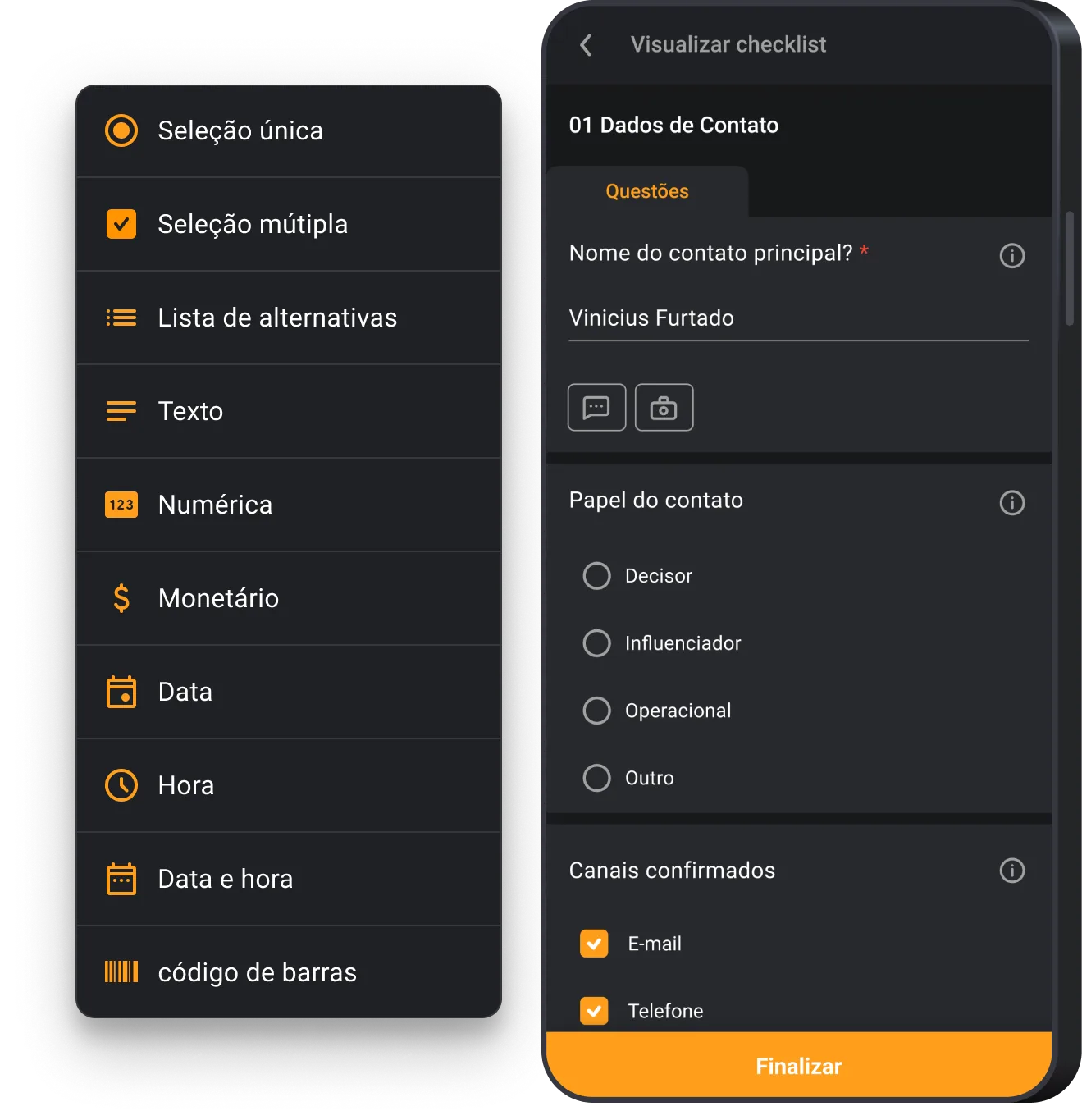
Require photos based on the execution step
Request comments based on the response
Require completion to submit results
Create checklist templates per service
Forms with smart routing
Checkmob - Software for managing field teams.

Reduce rework costs

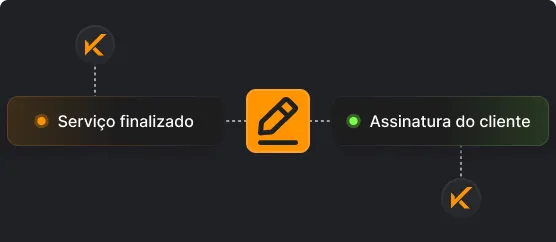
Client signature collection

To finalize a service, you can require your client's signature to validate the service provided. This ensures that everything done for the client is approved by them.
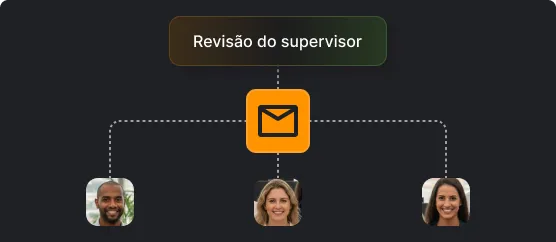
Proof of visit for the client

After service completion, you can send a proof of service, with all details and photos, directly to your client's email. This is, of course, after your supervisor's review.

Streamline field team work

To ensure communication, all services sent by the manager have read confirmation by the field technician. And with the Checkmob app, your team will be able to:
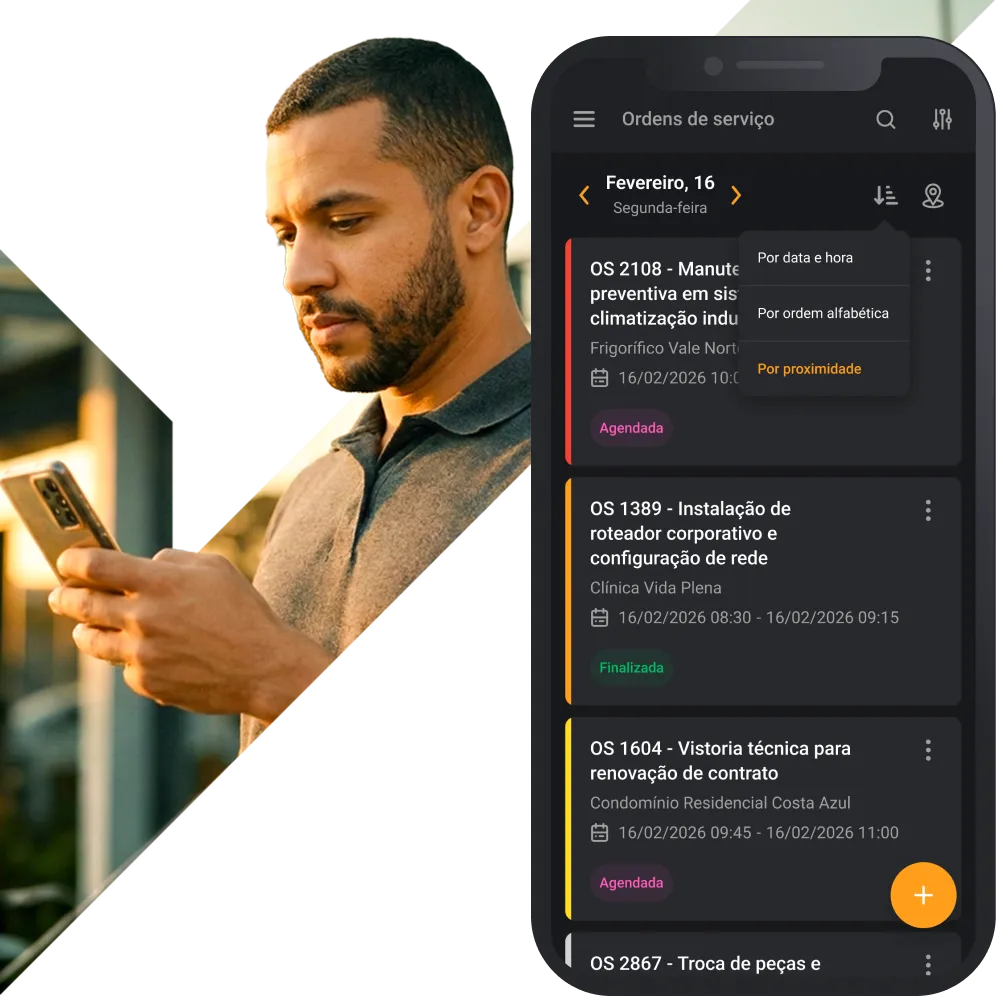
Sort services using different variables
Create or reschedule services, if permitted
Check the history of previous visits
Open the route directly in Google Maps
View customer and service details
Checkmob - Software for managing field teams.

Make decisions based on relevant indicators

Data Intelligence

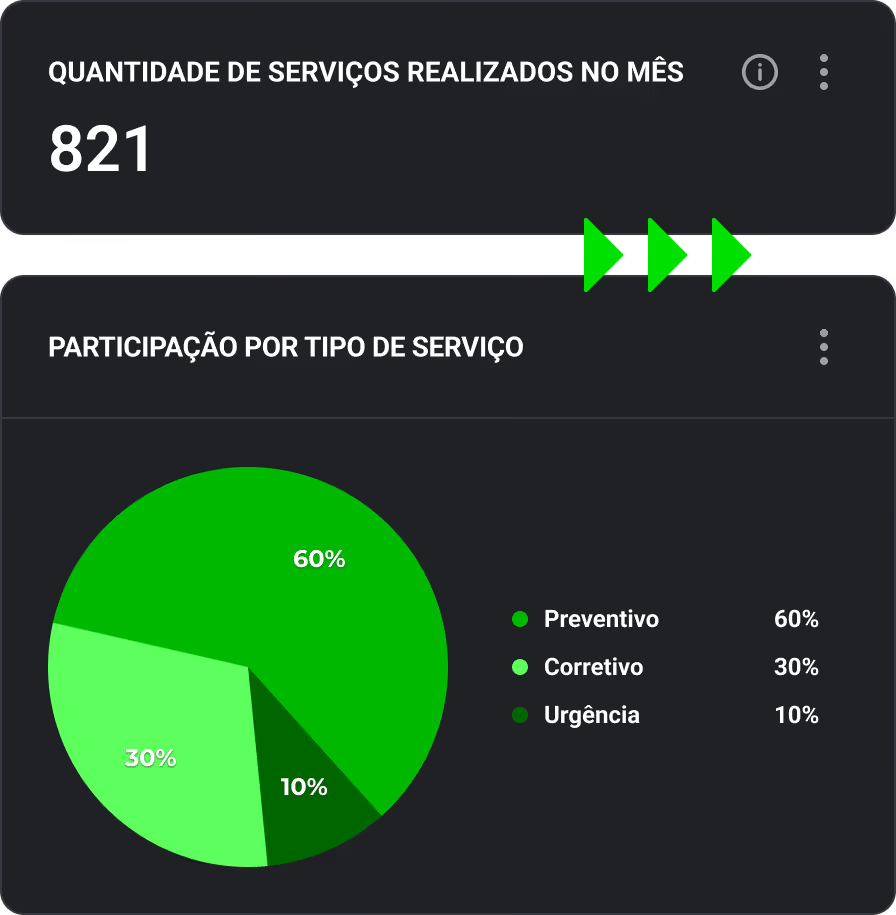
With our Data Intelligence, you centralize and organize your operational data, transforming it into crucial insights to measure the health of your operations and business.

Number of services per day
Time spent per service type
Customer satisfaction level
Custom Indicators
Client revisit rate

Export to Excel and PDF

Each service performed in the field generates records that prove activities with clients, the team, and managers. On the platform, you can select the period and export visits individually or in bulk.

Checkmob - Software for managing external teams.

Exceptional leaders and managers approve Checkmob

“Today, there are no more worries about control”
“Checkmob has helped increase our sales. To expand our team, we hired a new salesperson, and more people will likely join the team in 2024 as well. Today, there are no more worries about controlling and monitoring visits; with Checkmob, everything is hassle-free.”
Gabriel Greter Angelo
Sales Manager
“What has really been surprising me is the Operations Map”
I like several Checkmob features, but what has really been surprising me is the Operations Map; I can see my sales reps and clients being visited, all on a single screen.
Adir Cruz
Commercial Supervisor
“It increased our productivity”
“The software is intuitive, customizable, fast, and has excellent features for scheduling, routes, and agenda creation. It has simplified our daily operations, optimized processes, and increased our productivity. We know in real-time where the team is and have all visit information to make assertive decisions. I find the Check-in and Check-out system spectacular, as it records data, visits, and the exact time they occurred. The BI is quite complex, but very efficient.”
Beatriz Isis Sulamites
Commercial Analyst
“You see vast possibilities”
“One of the most important features I see in this software is the forms. This greatly facilitated the system's implementation. Once you truly understand the system's logic, you see vast possibilities for control.”
Abimael M.
Operations Manager
“Improved analysis quality”
“Checkmob is proving very useful in decision-making, giving managers better quality analysis and improving productivity during sales visits. We were able to standardize visit scheduling, get immediate access to photos and feedback, optimize sales representatives' routes, and measure the number of visits, kilometers traveled, prospecting efforts, etc. We are very satisfied with the excellent service, follow-up, and support.”
Felipe Andrade
Commercial Supervisor
“Very helpful in team management”
“The Checkmob tool has been very helpful in managing my team, both for the quality of the information and the way the tool can be customized. The support has an excellent response time and is highly technical. Checkmob puts my team management entirely at my fingertips.”
Tarsis Hermeto
Trade Marketing
“The tool is fantastic”
“We have been working with Checkmob for over 4 years. We have gained many benefits, with analyses and decision-making made easier. The tool is fantastic; it's an application with many functionalities and has been praised by our sales team for its ease of use. But, more importantly, it's the solid partnership of understanding and mutual help that we have built.”
Débora Cavalcante Vale
Sales Excellence Manager
“Increased our productivity”
“The software is intuitive, customizable, fast, and has excellent features for scheduling, routes, and agenda creation. It has made our daily work easier, optimized processes, and increased our productivity. We know in real-time where the team is and have all visit information to make assertive decisions. I find the Check-in and Check-out system spectacular, as it records data, visits, and the exact time they occurred. The BI is quite complex, but very efficient.”
Beatriz Isis Sulamites
Commercial Analyst
“Reduced execution time”
“Checkmob, with its checklist software, significantly accelerated the digital transformation process of our operations, bringing more confidence to the inspections performed and providing us with a clearer view of them. The reduction in activity execution time is an important point to highlight. The after-sales support is excellent, showing concern for considering and improving all points raised.”
José Francisco
IT and Automation Supervisor
“You unlock great possibilities”
“One of the most important features I see in this software is the forms. This greatly facilitated the system's implementation. Once you truly understand the system's logic, you unlock significant control capabilities.”
Abimael M.
Operations Manager
“Better analysis quality”
“Checkmob is proving very useful for decision-making, providing managers with better analysis quality and improving productivity during sales visits. We've been able to standardize visit scheduling, gain immediate access to photos and feedback, optimize sales routes, and measure the number of visits, kilometers traveled, prospecting efforts, etc. We are very satisfied with the excellent service, follow-up, and support.”
Felipe Andrade
Commercial Supervisor
“Incredibly helpful in team management”
“The Checkmob tool has been incredibly helpful in managing my team, both for the quality of information and the ability to customize the tool. The support team has an excellent response time and is highly technical. My entire management is at my fingertips with Checkmob.”
Tarsis Hermeto
Trade Marketing

Start a new phase in your field service operations!

Request a DemoContact us

Frequently asked questions

Yes. Checkmob offers a single app, available for both Android and iOS, allowing your team to perform field activities, record data, and track tasks directly from their mobile phone or tablet. This ensures that all users, regardless of their operating system, have access to features, improvements, and updates simultaneously, maintaining a consistent experience for the entire field team.

Yes. Once a field user is logged into the app, they can access all information and input data offline. This information will then synchronize with the web and update upon the next Wi-Fi or mobile data connection. Furthermore, managers can view the timestamp of completed activities and when this information was submitted in the history.

Implementation is completed within 15 days, and our team will assist you throughout the entire process. After implementation, our support will always be available whenever you need it.

Our support channels include phone, online chat, email, and WhatsApp. Service hours are from 9 AM to 6 PM, Monday to Friday.

Yes. Hundreds of parameters can be customized, and with the help of our specialists, your account will be perfectly aligned with your company's specific needs.

Yes. Checkmob supports integrations through an open API, Webhooks, and Zapier, allowing connection with over 5,000 software applications.

The fee for using the platform can be paid monthly, semi-annually, or annually, depending on the agreement reached during negotiation. A minimum of 5 user licenses can be purchased, and payments are accepted via bank slip or credit card.